
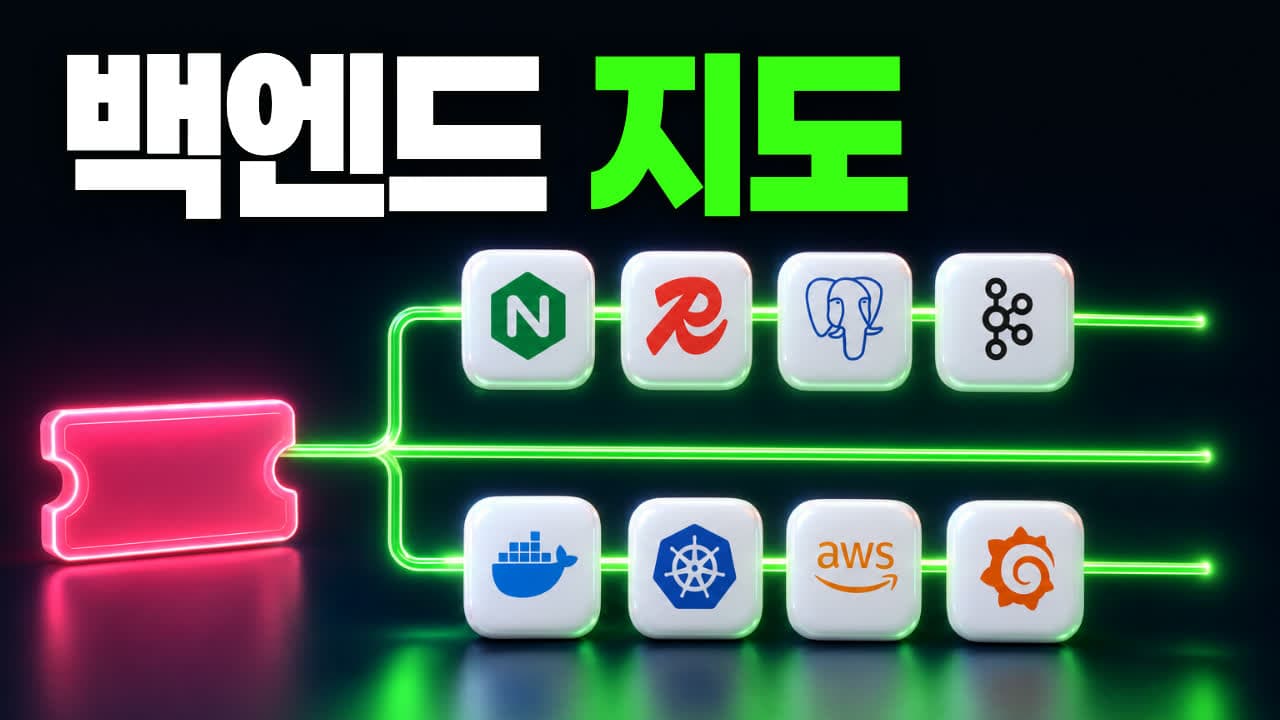
If you want to become a backend developer and search for a roadmap, a screenful of unfamiliar names comes back: Nginx, Redis, Kafka, Docker, Kubernetes, Jenkins, AWS, Grafana. Learn one, and there is another new name right next to it.
Do you have to memorize all of them? No. Each of these names exists to prevent one specific situation: "without this, the service falls over." So the thing to look at first is not the name but the situation the tool prevents. Once you know the situation, a different tool that sits in the same slot will not feel new.
This post does not explain the tools one at a time. It follows a scene almost everyone has lived through: a concert ticket sale that opens at exactly 8:00 PM. Picking a seat and paying takes about a minute. We trace where one booking request goes behind the screen during that minute.
This post covers:
- The path of the request: reverse proxy → backend → authentication → database → cache → message queue
- What holds it up from behind: Docker → Kubernetes → cloud → CI/CD → monitoring
- The full map with all eleven slots
- One question to ask when you meet a tool you have never seen
How to read the labels. There are no measured numbers in this post. [Official docs] means the description was checked against the tool's own documentation or a standards document, and the link is attached. The ticketing scene and the concert-hall analogies are teaching examples; we did not study the real architecture of any particular ticketing service.
1. The path of the request
01 Reverse proxy: splitting traffic at the entrance
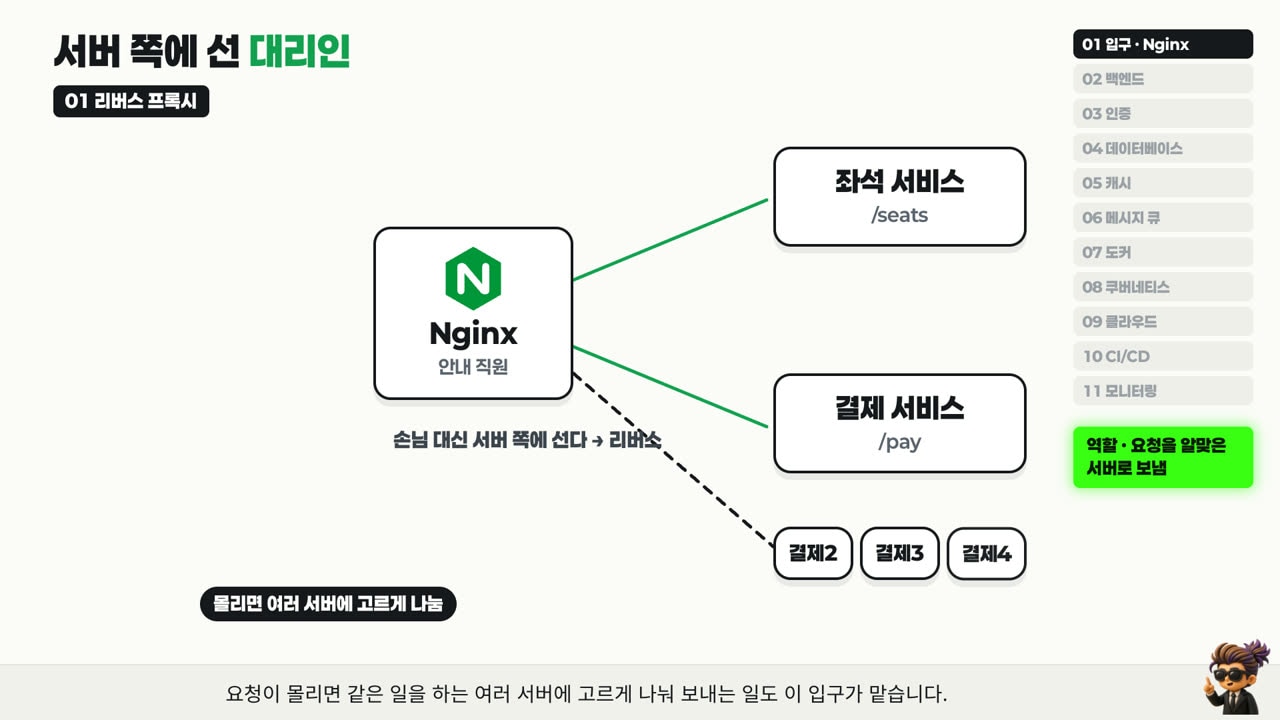
When you press the booking button, the request first passes through an entrance. That entrance is called a reverse proxy, and the best-known tool is Nginx. Think of the staff member at the venue door saying "seat questions to the left, payments to the right."
- A proxy is a stand-in. This one stands on the server side, not on the visitor's side, which is why it is called "reverse."
- It reads the address and passes
/seatsto the seat service and/payto the payment service [Official docs] (Nginx proxy module). - When traffic piles up, it spreads requests evenly across several servers that do the same job. This is load balancing [Official docs] (Nginx load balancing).
02 Backend and frameworks: the crew behind the stage
After the entrance, the request arrives at the backend. If the booking screen is the stage, the backend is the crew working behind it. It is a program running on a computer called a server, so people also call it the server-side program. It does four things:
- Checks that the seat you picked is really free.
- Applies rules, such as how many tickets one person may buy.
- Fetches the information it needs from elsewhere and cross-checks it.
- Sends the result back to the screen.
Nobody builds this crew from nothing. Receiving requests, sending responses, and deciding what to do per address are needed by every service, so teams start from a pre-built skeleton. That skeleton is a framework.
| Language | Common frameworks |
|---|---|
| Java | Spring Boot |
| C# | ASP.NET Core |
| JavaScript | Express, NestJS |
| Python | FastAPI, Django |
The languages and names differ, but they all go into the same slot behind the stage and do the same job.
03 Authentication: who sent this request?
Before holding a seat, there is something to check. Did the logged-in person really send this request? Anyone can press a button, so if someone imitates my account, tickets could disappear under my name. So identity is checked first. This is authentication.
- Sessions: the server remembers that you are logged in (MDN, HTTP sessions)
- JWT (JSON Web Token): a hard-to-forge pass attached to every request [Official docs] (RFC 7519)
- OAuth: lets you sign in through another account, such as Google [Official docs] (RFC 6749)
- OpenID Connect: a layer on top of OAuth that tells the service who the person is [Official docs] (OpenID Connect Core)
If the check passes, the request moves on. If not, it is turned away on the spot and never gets near a seat.
04 Database: the booking ledger in the venue office
The backend needs to know which seats are left, and what your contact details and payment method are. All of that lives in a database. Picture a booking ledger in the venue office, with separate sections for members, shows, seat layouts, bookings and payments.
- What is written in the ledger stays there after the server restarts and after tomorrow comes. That is why your seat does not vanish overnight.
- If two people press the same seat at the same moment, the ledger keeps order so only one of them is written down. The mechanism that groups several changes into "all of them or none of them" is called a transaction [Official docs] (PostgreSQL transactions).
- PostgreSQL and MySQL are tools that play this ledger role.
05 Cache: a memo board in front of the ledger
The problem is 8:00 PM sharp. A huge number of people open the same show page at once and keep hitting refresh. The show date, the price and the seating chart do not change for hours, yet if every request searches the ledger from the start, the database repeats the same work endlessly. A line forms in front of the ledger, and this is where things jam.
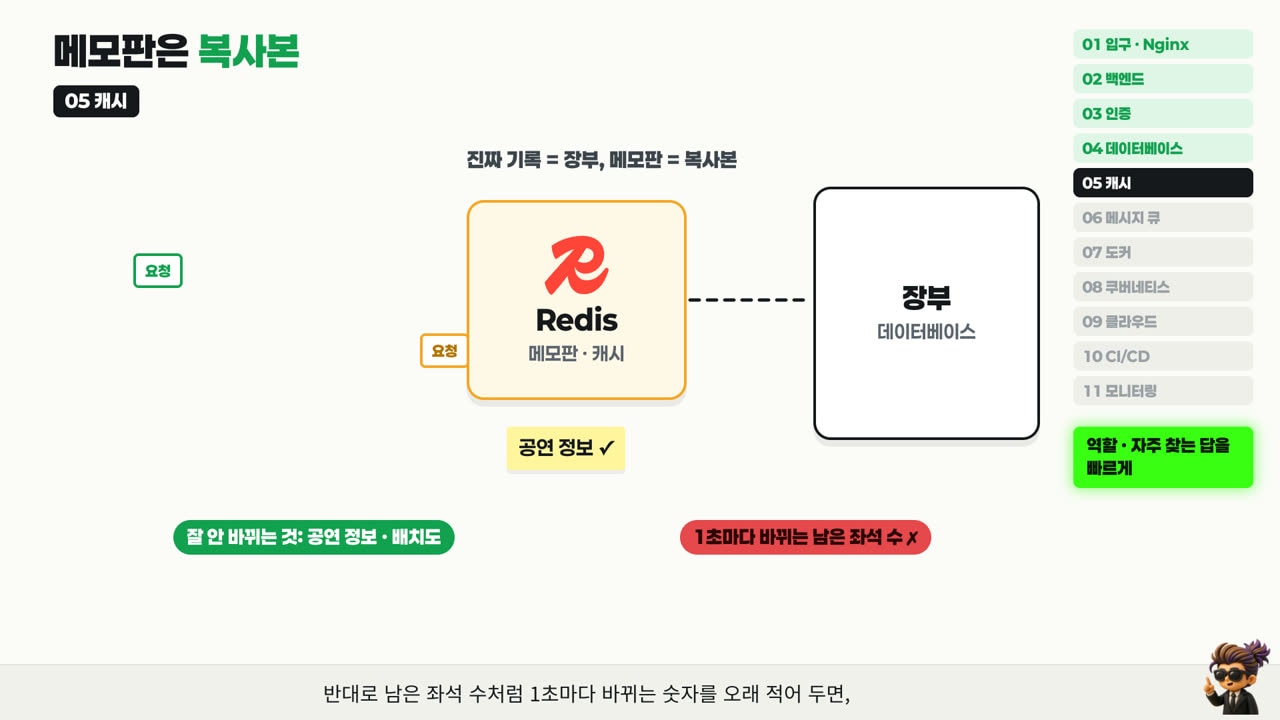
So a memo board goes in front of the ledger: a place to jot down frequently asked answers for a while. This is a cache, and the best-known tool is Redis.
- A request looks at the memo board before the ledger. If the answer is there, it is returned right away. That is a cache hit.
- If it is not there, that is a cache miss. Only then does the request go to the ledger, and the answer it finds is also written on the memo board, so the next person gets it straight from the board [Official docs] (AWS, caching patterns).
One thing to remember: the memo board is a copy. The real record is always in the ledger, and if the board is wiped it can be refilled from the ledger. So the board holds information that is asked for often but rarely changes, like show details and seating charts. If you keep a number that changes every second, such as seats remaining, on the board for too long, you may show a sold seat as available.
06 Message queue: a box of to-do notes
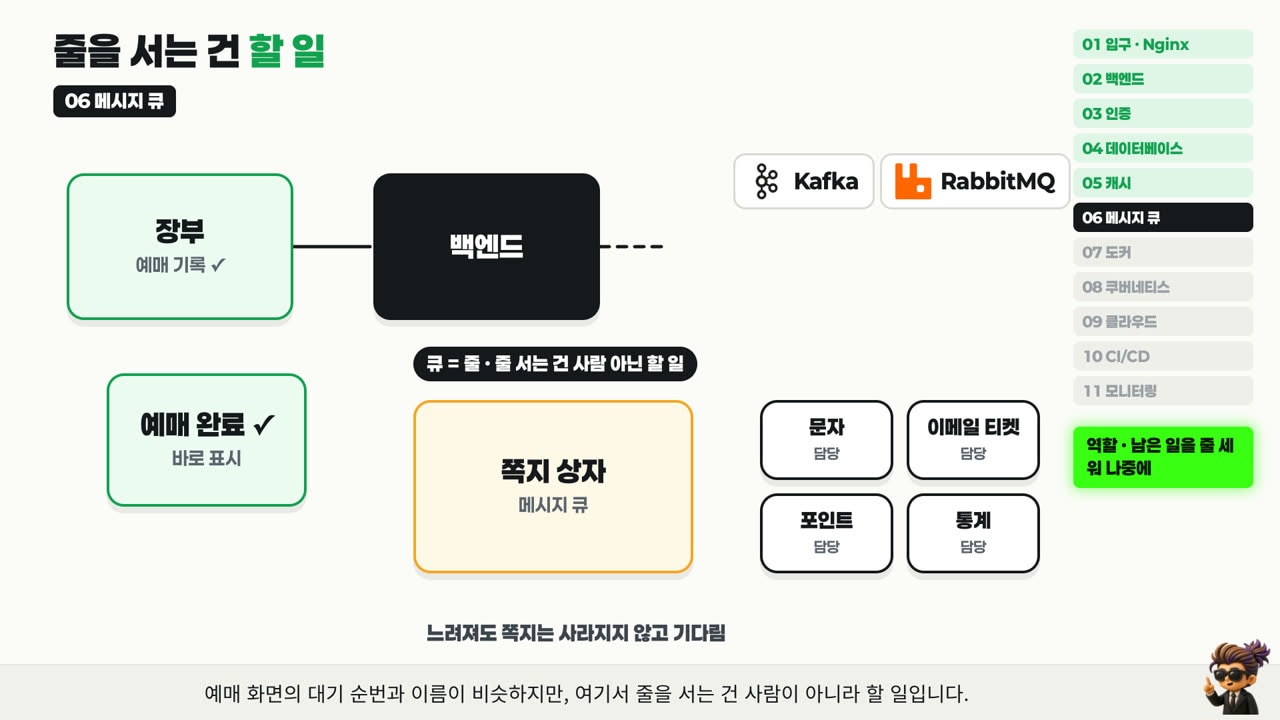
Payment is done and the booking is in the ledger. The most important part for the customer is over, but the backend still has work left: send a confirmation text, email the ticket, add reward points, and update the sales statistics.
What if "booking complete" appeared only after all of that finished? If the screen freezes for a long time after you press pay, you start wondering whether it went through and whether you should press again. And if the texting service slows down for a moment, unrelated payments stall with it.
So the backend shows "booking complete" immediately, writes the remaining work on notes, and drops them into a box. The text, email, points and statistics services each pull their own notes out and handle them one by one. If one of those services is slow for a while, the notes do not disappear; they wait.
That note box is a message queue. Kafka and RabbitMQ are the best-known tools. It sounds like the waiting line on a ticketing page, but what stands in this line is not people. It is work to be done.
2. What holds it up from behind
That was the path of a single booking request. Now step back and look at where and how these programs actually run.
07 Docker: one meal-kit bag
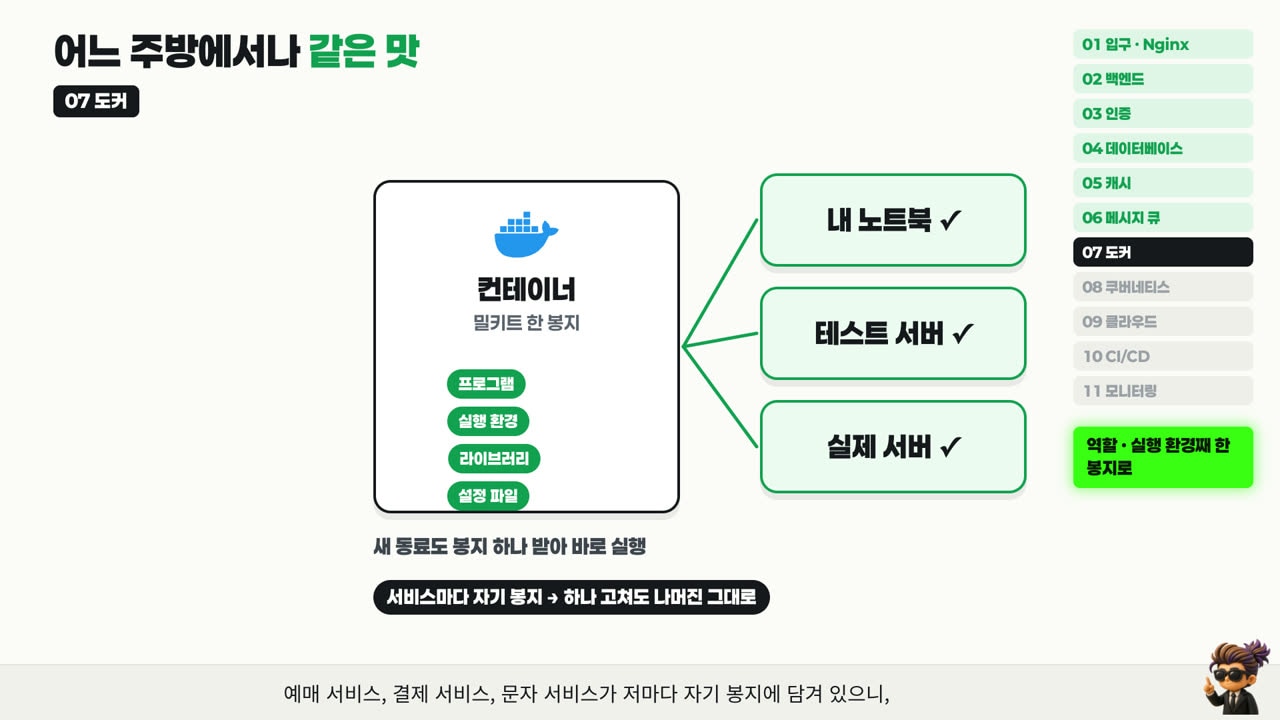
A booking service that ran fine on a developer's laptop often stops working when it is moved to another machine or a server. The installed Java version is different, a library is missing, or a config file lives somewhere else.
Docker solves this like a meal kit. The program, its runtime, libraries and config files go into one bag. That bag is called a container [Official docs] (Docker, What is a container?).
- The ingredients and the recipe travel together, so it tastes the same in any kitchen. A container runs the same on a laptop, a test server and a production server.
- A new teammate does not have to follow a long setup document. They take one bag and start it.
- The booking, payment and texting services each sit in their own bag, so fixing one does not touch the others.
08 Kubernetes: the venue operations manager
At 8:00 PM one container is not enough. You need hundreds of copies of the same container spread across many servers. Some will stop along the way, and some will need to be replaced with a new version. Once the tickets sell out, the extras should be shut down to save money. Looking after all of that by hand is not realistic.
That is what Kubernetes is for. It is the operations manager who opens more counters when the crowd arrives, immediately refills a counter that goes down, and closes counters when things get quiet.
- You only declare how many should be running. It adds more when there are too few, restarts the ones that stop, and removes the extras [Official docs] (Kubernetes Deployments).
- Turning hundreds of containers off and on at once to ship a new version would halt bookings in between. So it swaps a few at a time, and takes an old container down only after the new one is confirmed healthy. This is a rolling update [Official docs] (same page).
09 Cloud: renting the venue instead of building it
Where are all these servers? Companies used to buy server machines and keep them in a dedicated room. Today most of them rent. It is the same as renting a venue for each show instead of building one.
A provider that rents out servers, storage, networking and databases in the amount you need is a cloud, and AWS, Microsoft Azure and Google Cloud are the major ones [Official docs] (AWS, What is cloud computing?). The big advantage is that you can rent more only for the rush, such as ticket-opening day, and then give it back. If you had bought the servers, you would be holding idle machines most days for a moment that comes a few times a year.
10 CI/CD: an automatic inspection line
A service is never built once and finished. Say a bug shows up on the pay button the night before the sale opens. Copying the fix by hand onto dozens of servers is slow, and it is easy to miss one. So teams set up an inspection line that runs automatically whenever code is pushed.
- CI (Continuous Integration): merge the new code with the existing code, build it, and run the tests
- CD (Continuous Delivery/Deployment): send the code that passed the tests on to a test server or the production servers
Tools like GitHub Actions, GitLab CI and Jenkins run this line. If a single test fails, the line stops right there, so broken code is less likely to reach production.
11 Monitoring: the gauges at the stage manager's desk
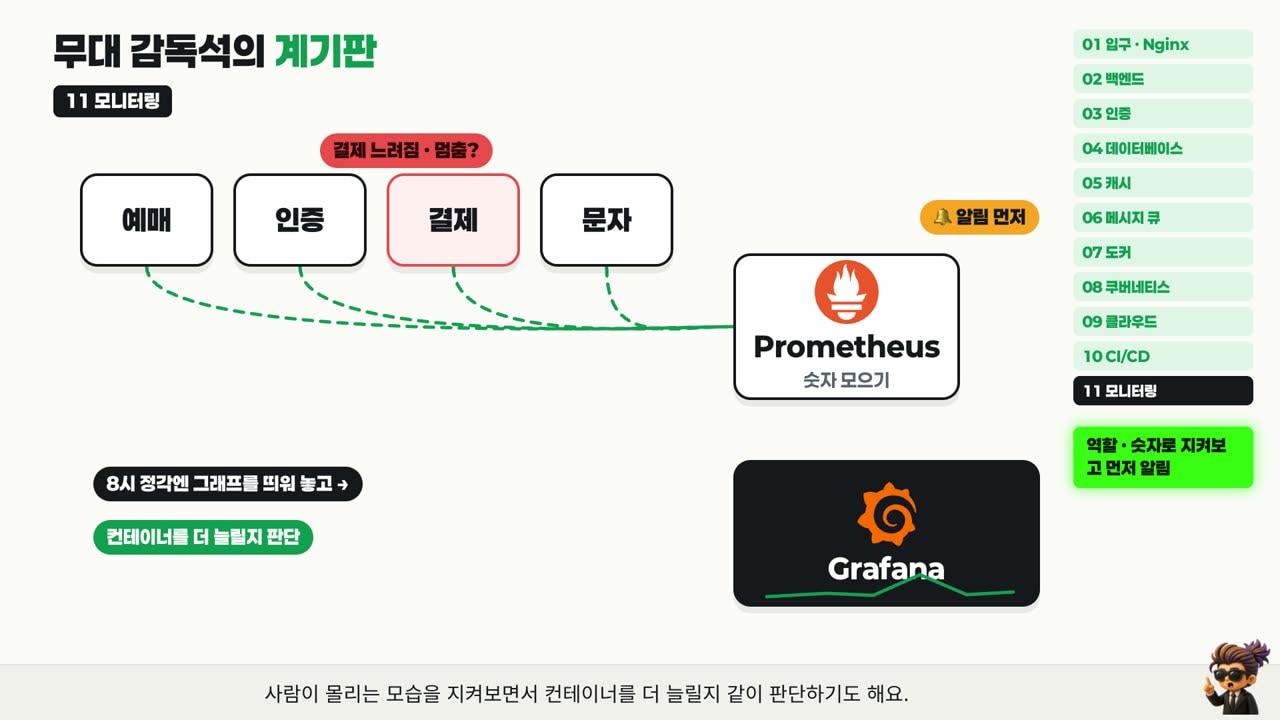
While the service runs, someone has to keep watching. Has payment slowed down? Has a service stopped? Did server usage suddenly spike? Finding out from customer complaints is already too late.
So there is a panel of gauges, like the one at a stage manager's desk.
- Prometheus keeps collecting numbers from servers and services [Official docs] (Prometheus overview).
- Grafana turns those numbers into graph dashboards [Official docs] (Grafana docs).
- When a line jumps in an odd way, an alert fires first, so the problem can be fixed before most customers notice.
3. The full map on one page
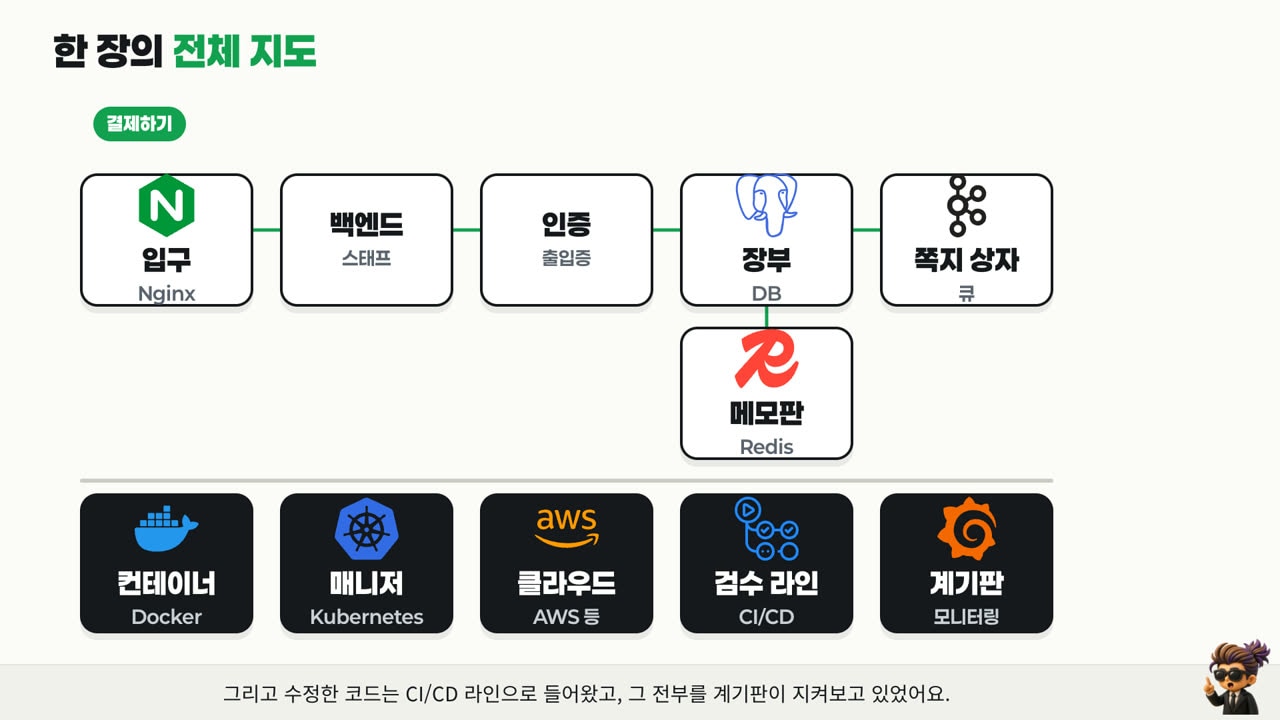
All the customer did was press a few buttons. Here is everything that happened in between, on one page.
| Slot | Concert-hall analogy | Job | Typical tools |
|---|---|---|---|
| 01 Reverse proxy | Staff at the entrance | Routes requests to the right server | Nginx |
| 02 Backend | Crew behind the stage | Processes by the rules and responds | Spring Boot, Django, etc. |
| 03 Authentication | Pass checkpoint | Confirms who sent the request | Sessions, JWT, OAuth |
| 04 Database | Booking ledger | Keeps records durably and in order | PostgreSQL, MySQL |
| 05 Cache | Memo board by the ledger | Returns frequent answers fast | Redis |
| 06 Message queue | Note box | Holds leftover work for later | Kafka, RabbitMQ |
| 07 Docker | Meal-kit bag | Packs the runtime into one bag | Docker |
| 08 Kubernetes | Operations manager | Keeps the container count where you set it | Kubernetes |
| 09 Cloud | Venue rental | Rents servers as needed | AWS, Azure, Google Cloud |
| 10 CI/CD | Inspection line | Checks and ships automatically | GitHub Actions, GitLab CI, Jenkins |
| 11 Monitoring | Stage manager's gauges | Watches the numbers and alerts first | Prometheus, Grafana |
4. When you meet a tool you have never seen
Look at the roadmap from the beginning again. It now reads less like a list of names and more like the slots of the map we just walked through. The tool in each slot differs from team to team. Some use Spring Boot, some use Django. The ledger is PostgreSQL in one place and MySQL in another. Whether the note box is Kafka or RabbitMQ, the job of the slot is the same.
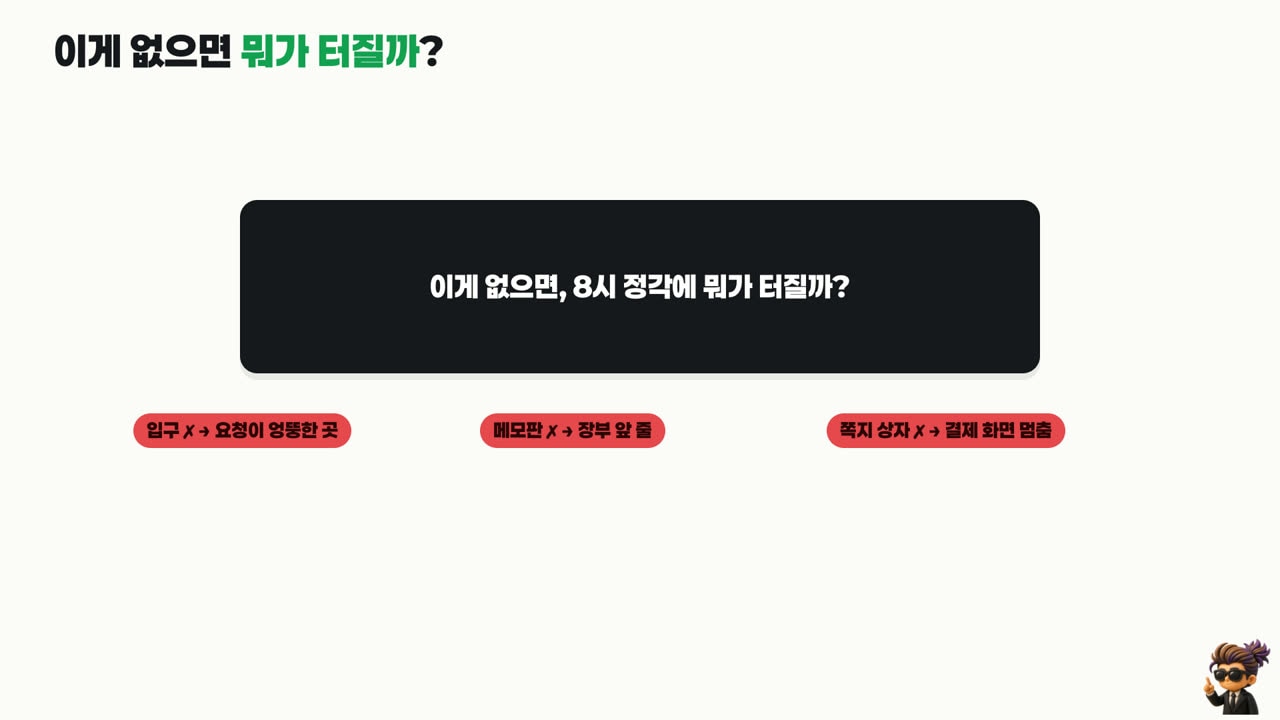
So when you run into a new name on a roadmap, ask this first:
Without this, what breaks at 8:00 PM sharp?
- No entrance → requests go to the wrong place.
- No memo board → the line in front of the ledger jams.
- No note box → the payment screen freezes.
If an answer comes to mind, you already know where that tool goes on the map. Instead of a growing pile of names to memorize, you get one map that keeps getting sharper.
Limits of this post
- The ticketing scene is a simplified teaching example. Real services may order the slots differently, put several tools in one slot, or have slots that are not shown here (search, file storage, CDN and so on).
- Each tool is described by one representative role only. Redis is used for more than caching, and Nginx does more than reverse proxying.
- There are no performance measurements here. How much faster something gets depends on the service and its configuration, so this post does not say.
Watch the video
The same content as an animation that fills in the eleven slots one at a time. The video is in Korean.
Sources
- Nginx, ngx_http_proxy_module · Using nginx as HTTP load balancer
- IETF, RFC 7519: JSON Web Token (JWT) · RFC 6749: The OAuth 2.0 Authorization Framework
- OpenID Foundation, OpenID Connect Core 1.0
- MDN, Using HTTP sessions
- PostgreSQL, Transactions
- Redis, Docs · AWS, Database Caching Strategies Using Redis: Caching patterns
- Apache Kafka, Documentation · RabbitMQ, Tutorials
- Docker, What is a container?
- Kubernetes, Deployments
- AWS, What is cloud computing?
- GitHub Actions · GitLab CI/CD · Jenkins
- Prometheus, Overview · Grafana, Documentation
- Framework docs: Spring Boot · ASP.NET Core · Express · NestJS · FastAPI · Django