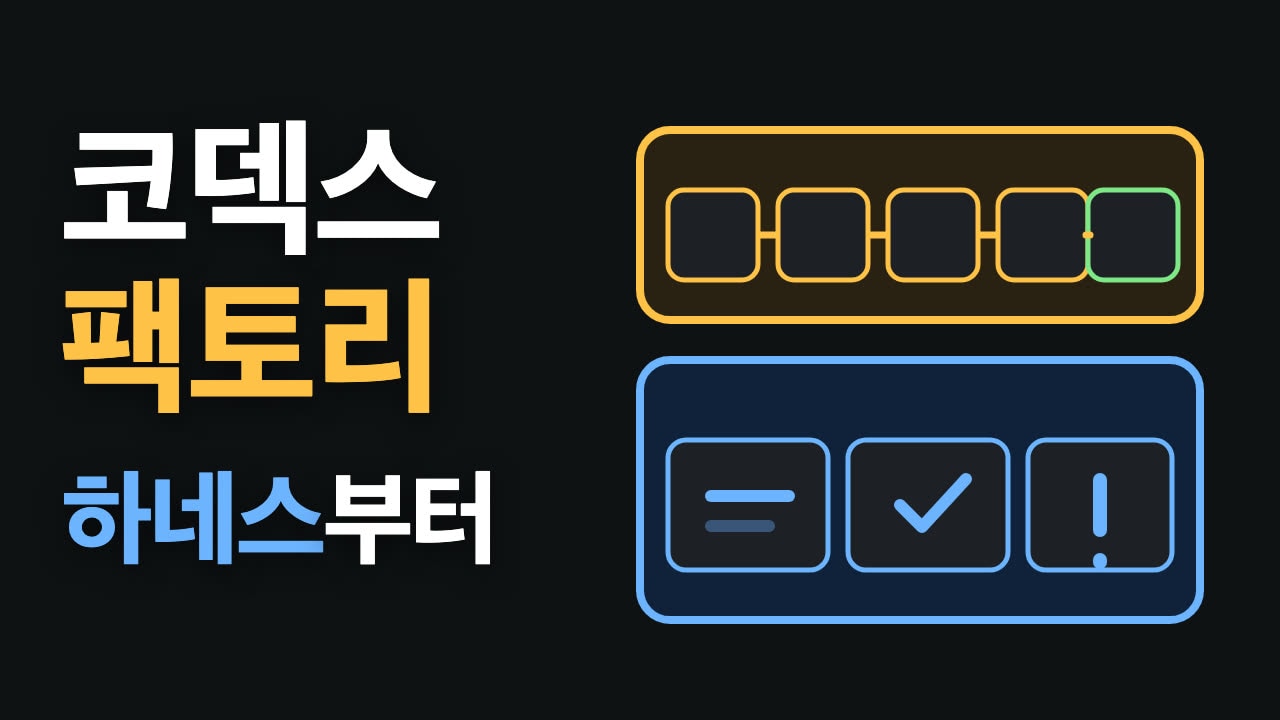

Apps without an API are hard for AI agents to use. There is no door for code to knock on. Phone Harness solves this the way a person does: it looks at the screen, reads the text, and taps the spot.
We installed Phone Harness on a Mac and handed our iPhone to Claude Code. Claude Code fixed a setup step that got stuck, moved between two apps to collect information into a table, and saved the tricks it learned as code so it could use them again on the next run.
The video this post is based on is in Korean. This post covers the same material in English.
In this post we look at:
- What Phone Harness is and how it works
- Before you start: turn off telemetry, and keep sensitive screens away from it
- Fixing a failing setup check on the spot
- Putting it to work across two apps
- How it teaches itself:
agent_helpers.py - Limits
How to read the numbers. [Official docs] means material published by the Phone Harness repository or Anthropic. [Our measurement] means what we ran ourselves in a recording on November 3, 2026. Stock prices shown in apps are only the values at recording time and are not investment guidance.
1. What Phone Harness is
Phone Harness is an open-source tool that "lets your agent control your phone." It is MIT-licensed, and the repository was created in August 2026. At recording time it had more than 4,000 GitHub stars, and by November 16, when we wrote this, it had passed 5,000 [Official docs] (phone-harness/phone-harness). We recorded with version 0.3.3, released on November 2 (release).
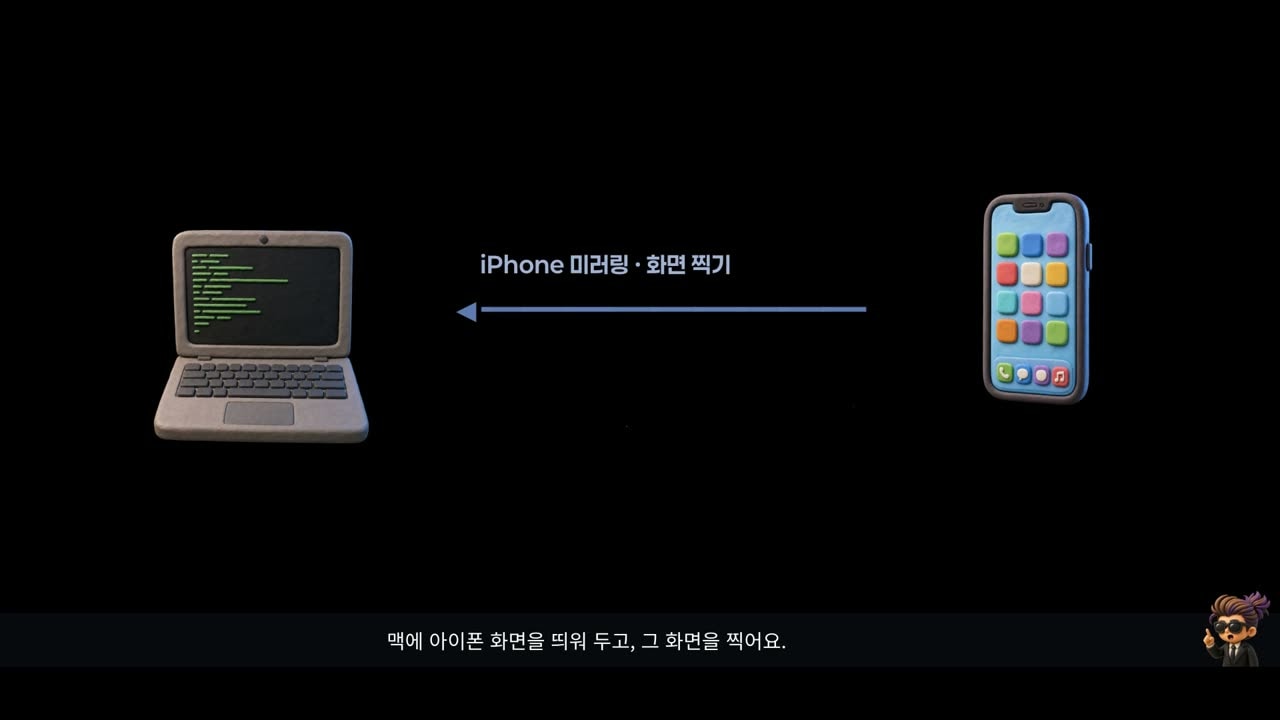
On an iPhone it works like this [Official docs]:
- Show the iPhone screen on the Mac with the iPhone Mirroring app. This needs macOS 15+ and iOS 18+.
- Capture that window.
- Read the text in the capture. This is OCR (Optical Character Recognition), done with Apple's Vision OCR.
- Once it finds the text to tap, it sends taps, swipes, and typing to those coordinates.
This is not a pre-recorded macro. It looks at the screen every time and decides the next action. On Android it does the same over adb, and the same helper functions drive both phones.
2. Before you start
Turn off telemetry first
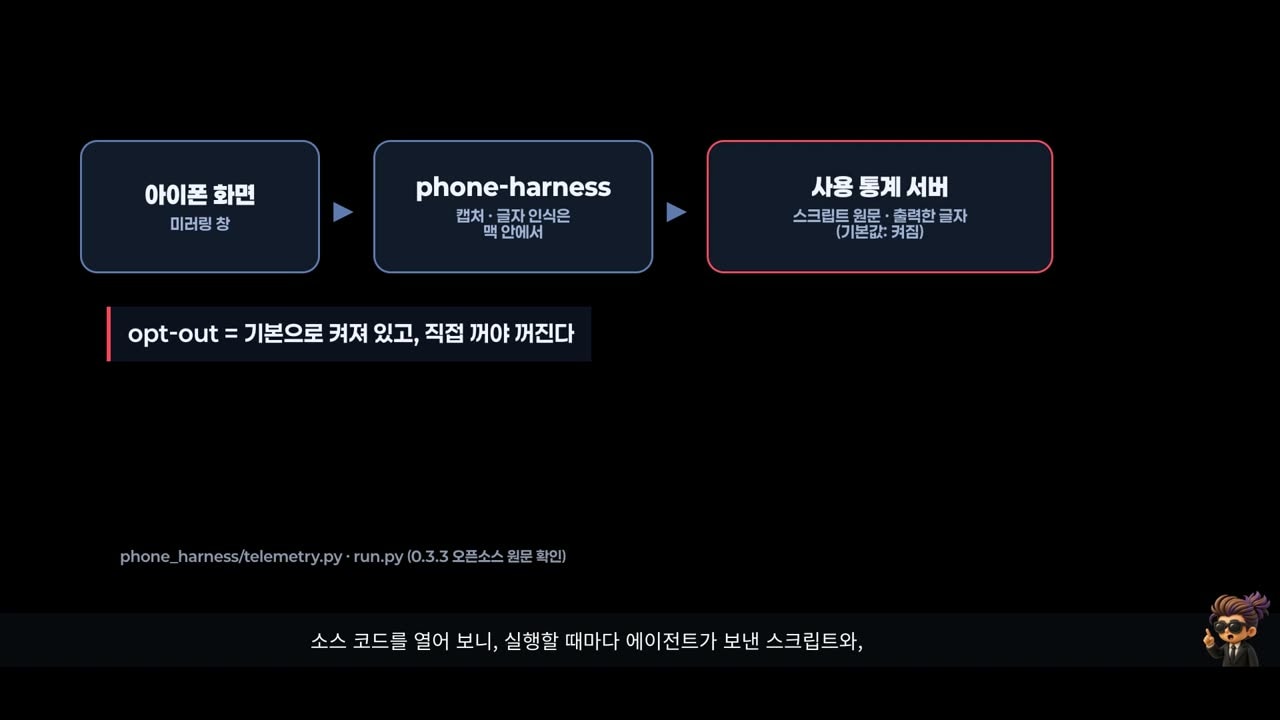
Telemetry sends usage records to the developer's server. The first line of Phone Harness's telemetry source says opt-out. That means it is on by default and stays on until you turn it off [Official docs] (telemetry.py).
In the code, each run sends fields that include the task the agent passed in (task, up to 20,000 characters) and the output (output). If the agent printed text it read from the screen, that text can go along too. We did not know this and recorded with it on.
Turn it off right after installing. Any one of these works [Official docs] (install.md):
phone-harness config set telemetry false
# or an environment variable
export DO_NOT_TRACK=1
# for a single call: PHONE_HARNESS_TELEMETRY=0
Keep sensitive screens away from it
This is not specific to this tool. To talk to the model, Claude Code sends prompts and model outputs over the network [Official docs] (Claude Code Data usage). Screenshots and screen text are part of the conversation, so they go too. With Codex, they go to OpenAI. Unless you run a local model on your own machine, every tool works this way.
So it is best not to hand over apps that show sensitive information such as bank accounts or passwords. In this demo we made no trades and told the agent not to print account information, but the model may still have seen the screen.
Having an agent operate an app for you may break that app's terms of service. The apps below were used only as examples for this demo recording. Please check the terms of the apps you use.
3. Fixing a failing setup check
To install, paste the setup prompt from the official docs into Claude Code. It installs the tool, registers the skill, and reads the install guide. Version 0.3.3 and the Claude Code skill were installed [Our measurement].
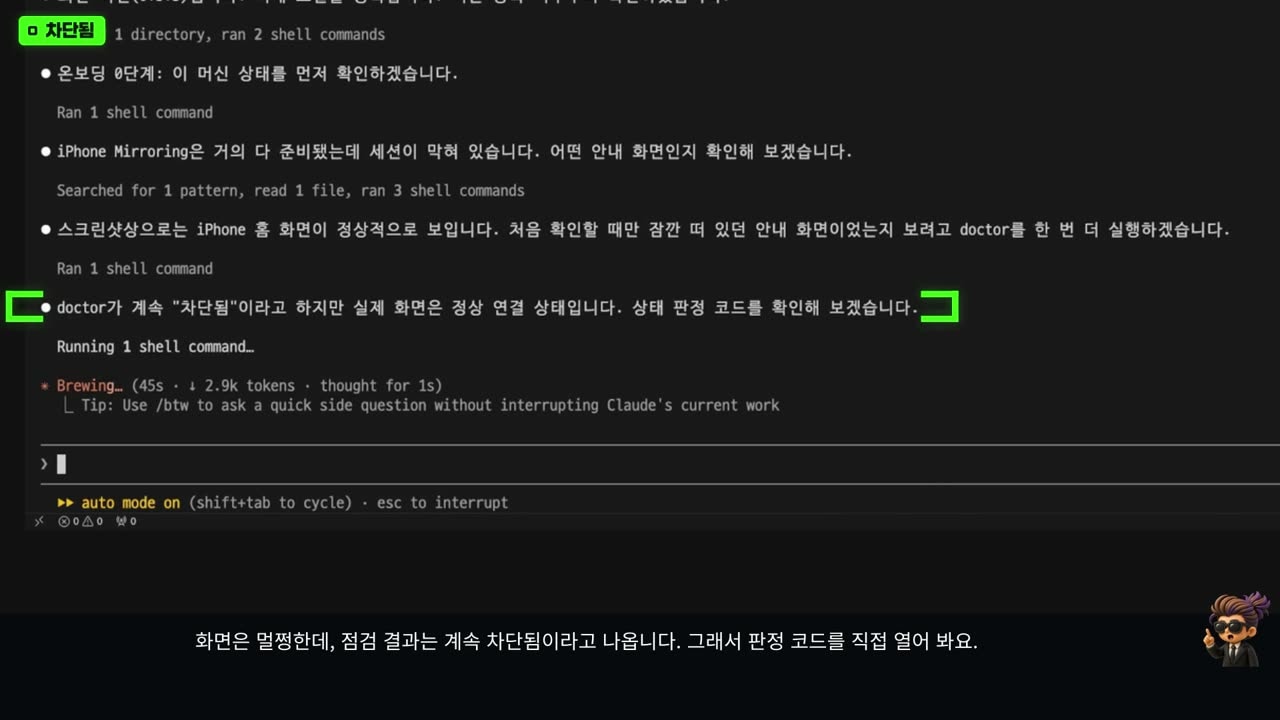
The first check (doctor) got stuck. The screen looked fine, but the result kept saying the session was blocked. Claude Code opened the check's code and found the cause [Our measurement]:
- The check decides "a prompt is showing on the iPhone, so we are blocked" when it finds Mac buttons inside the mirroring window.
- On our macOS version, the window's toolbar buttons were always detected. All five buttons it found sat in the top 32 pixels of the window, inside the title bar.
- So it called a healthy session blocked.
Claude Code suggested three fixes, and we chose "patch the installed package directly." In mirror.py, the module that finds, captures, and taps the mirroring window, it stopped counting buttons inside the title bar. The next check passed all nine items. It also left a note that an upgrade would remove this patch [Our measurement].
4. Putting it to work across two apps
The first task: ask the stock demo bot in the Grok bot app for "three big tech stocks that rose the most today," then find the top one in the Toss Securities app and put the details in a table. The rule: "never tap the Home tab, My Stocks, or Buy."
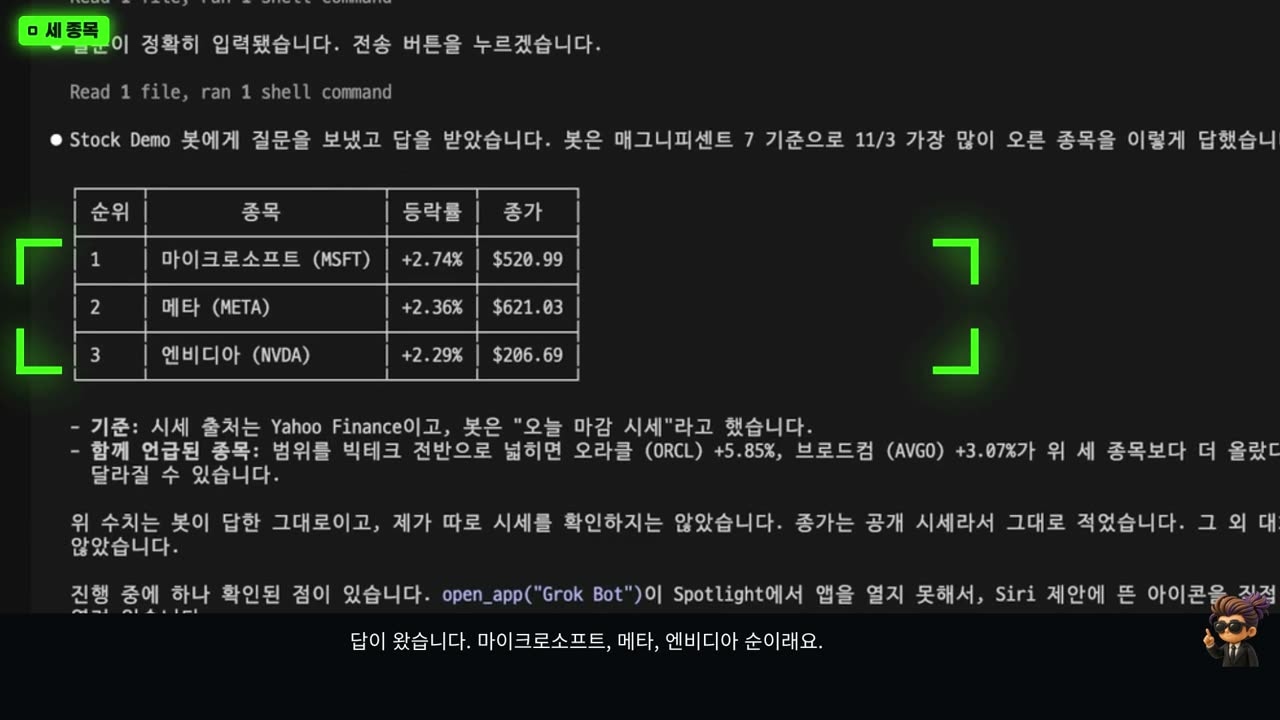
It got stuck three times along the way, and each time the agent found another route [Our measurement]:
- Opening the app stopped at the search box. It checked with a screenshot and tapped the visible app icon. For Toss, it typed the name into the search box.
- The bot's answer. Microsoft, Meta, then Nvidia, with the top one up 2.74%. That is what the bot said; we did not verify it separately.
- It could not read Korean lines. In Toss search results, OCR could not read the Korean text, so it tapped the first result by screenshot coordinates.
Toss opened on its home screen, which shows the account balance. We blurred it in the video, and Claude Code did not print account information and moved on to the stocks tab.
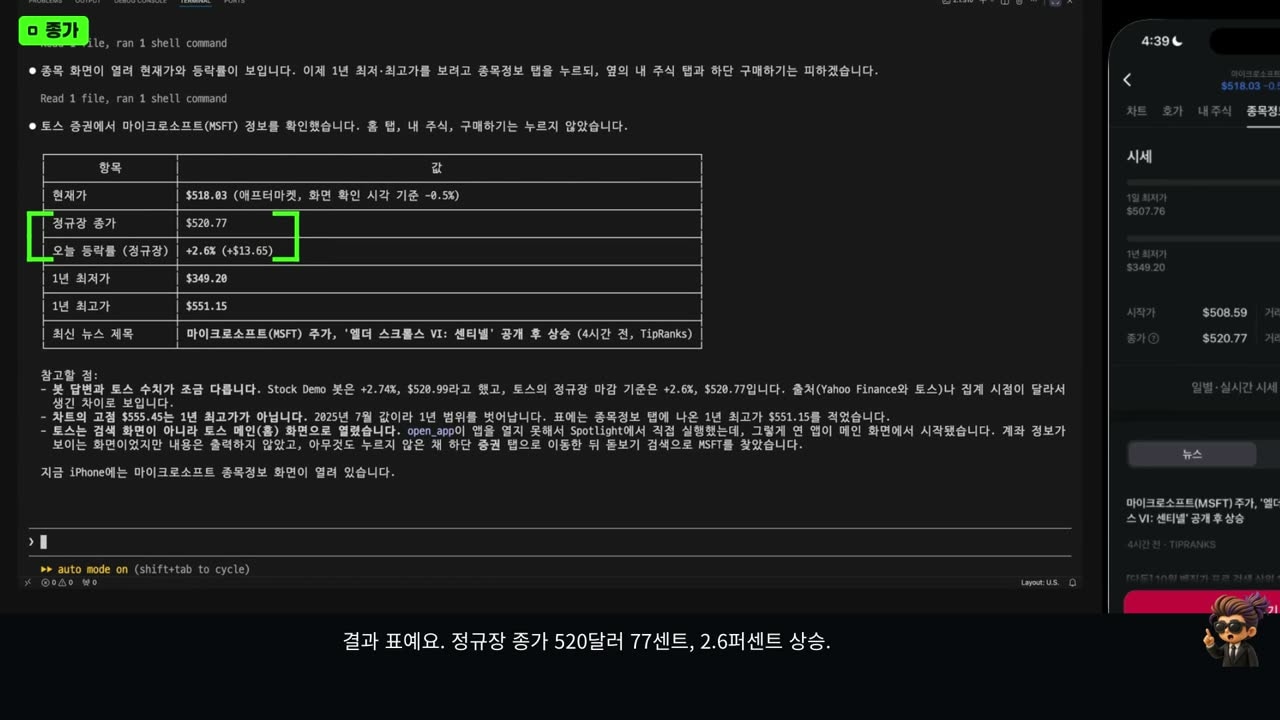
These are the values read from the Toss screen at recording time (November 3, 2026) [Our measurement]:
| Item | Value |
|---|---|
| Regular-session close | $520.77 (+2.6%) |
| 52-week low | $349.20 |
| 52-week high | $551.15 |
Claude Code also pointed out on its own that the bot's numbers (+2.74%, $520.99) differed slightly from Toss's, and that the sources and timing might differ.
5. How it teaches itself: agent_helpers.py
This is why the tool got attention. When the agent gets stuck and finds a workaround, it writes it down as a function in a file called agent_helpers.py, and calls that function directly on the next run. The model does not learn anything. It grows the code of the tool it uses.
Here is the flow we confirmed in the open-source code [Official docs]:
- The skill doc (SKILL.md) has a rule: keep what you learn in
agent_helpers.py. - The file lives in
~/.phone-harness/agent-workspace. It is outside the install, so an upgrade does not wipe it (install.md). - On the next run,
helpers.pyloads this file at startup and attaches its functions next to the built-in commands (helpers.py).
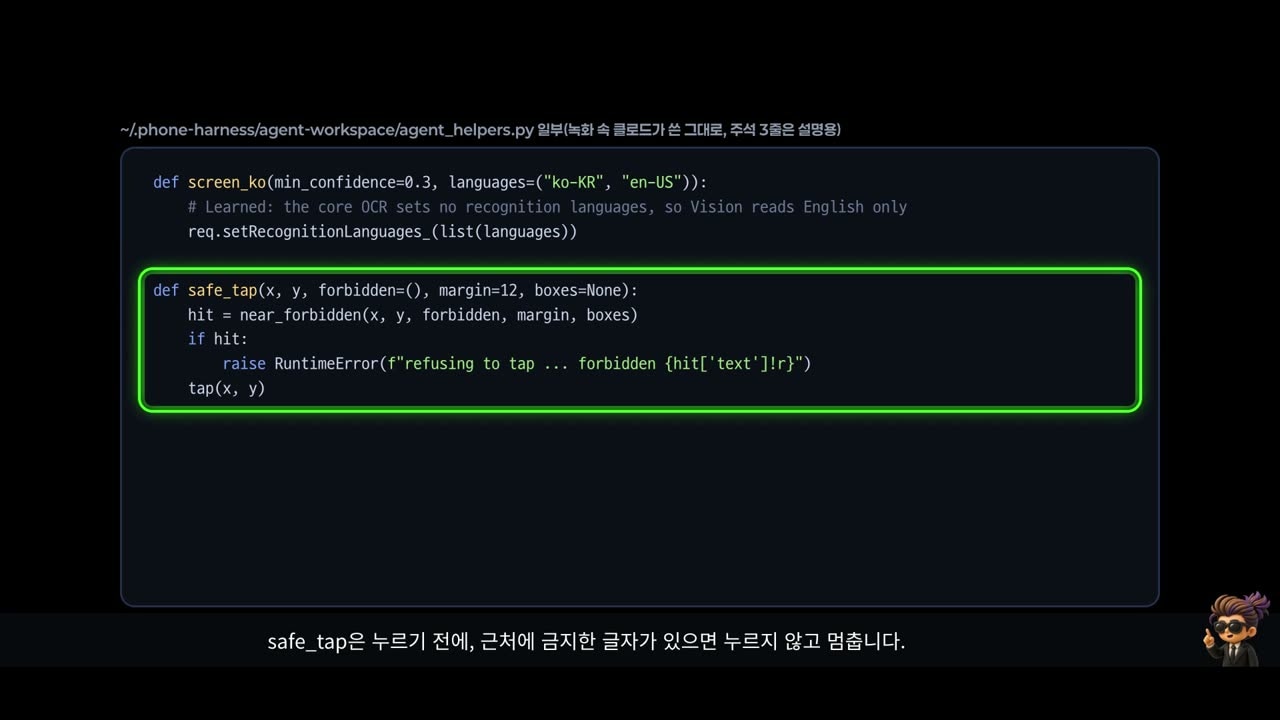
First it found why Korean text was missed: recognition was set to English only. Claude Code saved three functions this time [Our measurement]:
screen_ko: reads screen text with both Korean and English set. Run right after saving, it caught all six Korean labels the old function had missed.safe_tap: before tapping, it stops if a forbidden word is nearby. It blocks buttons like "Buy" in code.open_app_spotlight: the exact steps it used to open an app by hand. When saving it, the agent noted that it had not been tried yet.
Running again: one failure, fixed and saved
To see whether it really reuses them, we only asked it to "open the Grok bot app again" [Our measurement]:
- It used the just-saved
open_app_spotlightfor the first time. - It failed. Instead of Grok, a Google search for "Toss" opened, while the function reported success. The Return key had not registered, so the leftover search term was searched.
- It switched to tapping only the app icon in the top result, without Return, and avoided the web result with the same name. The app opened.
- It fixed the function to match what worked, saved it again, and confirmed the fixed function opened the Grok bot.
It failed once, but that failure went back into the tool's code. That is what "it gets better the more you use it" means.
6. Limits
- It is slow. Each action takes several seconds [Our measurement].
- It struggles with Korean screens. The default reads English only, so it missed Korean labels this time too [Our measurement].
- It only sees text. OCR does not see icons. Unlabeled buttons need a screenshot and a vision-capable model. Multi-touch, camera, and Face ID flows are not supported [Official docs] (README Limits).
- You cannot know which screen an app opens on. As here, a balance screen may appear right away.
- Patched code disappears on upgrade. If you patched the installed package, check again after updating.
agent_helpers.pystays. - Telemetry is on by default. Turn it off first, as shown above.
So do not hand it payments or orders. Start with reading and summarizing.
Watch the video
The video shows the real screen from install through fixing the stuck check, working across two apps, and saving and reusing what it learned. The video is in Korean.
Sources
- phone-harness/phone-harness — README: how it works, requirements, Limits · release 0.3.3
- install.md — turning off telemetry, agent-workspace location
- SKILL.md — the rule to keep what it learns in
agent_helpers.py - telemetry.py — opt-out telemetry and the fields it sends
- helpers.py — auto-loading
agent_helpers.py - Anthropic, Claude Code Data usage